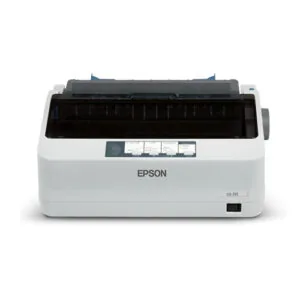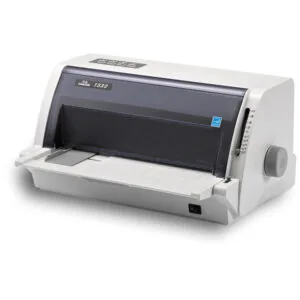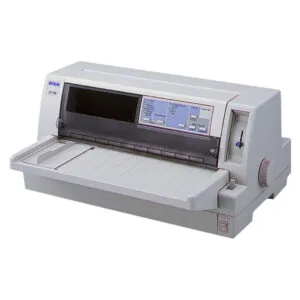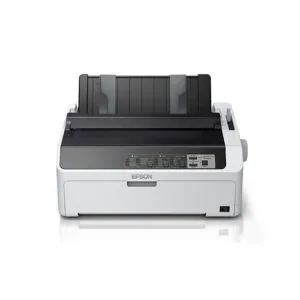
24 pins dot matrix

A 24-pin dot matrix printer produces noticeably sharper text than a 9-pin model — the finer pin arrangement creates a denser dot pattern that approaches near letter quality, making it readable and professional-looking even on continuous forms and multi-part carbon sets. For businesses that rely on printed invoices, delivery orders, official receipts, or payroll slips on pre-printed stationery, a 24-pin printer is the standard choice.

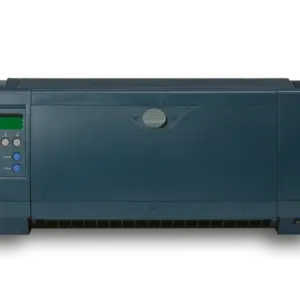
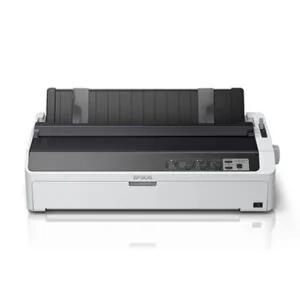
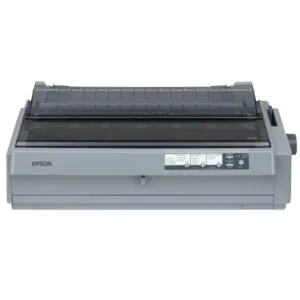
We carry a range of 24-pin dot matrix printers from Epson and TallyDascom, covering narrow-carriage A4 models for standard document printing, wide-carriage A3 models for wider forms and continuous stationery, flatbed models for passbooks and thick documents, and network-ready variants for shared printing across multiple computers. Prices start from RM999 and go up depending on carriage width and connectivity. Browse the full range below or contact us to discuss which model fits your form size, volume, and connectivity requirements.

Frequently Asked Questions — 24-Pin Dot Matrix Printer

What is the difference between a 9-pin and 24-pin dot matrix printer?
The number of pins refers to how many individual needles are in the print head. A 9-pin printer fires 9 needles in a column to form each character, producing a visibly dotted output that is functional but coarse. A 24-pin printer uses 24 needles in a tighter arrangement, producing much finer characters that are closer to the quality of a laser or inkjet printer — referred to as near letter quality (NLQ). For business documents like invoices and delivery orders that customers or auditors will read, 24-pin output looks significantly more professional. Most commercial and government environments that still specify dot matrix printers today require 24-pin models.
What is a flatbed dot matrix printer and when do I need one?
A standard dot matrix printer feeds paper through rollers from the back and ejects it from the front — suitable for continuous forms and cut sheets but not for items that are too rigid or thick to bend around the paper path. A flatbed dot matrix printer (like the TallyDascom 1330 and Epson LQ-680Pro) has a flat, straight paper path where the document slides in horizontally without bending. This makes flatbed models essential for printing on passbooks, bank books, pre-bound receipt books, government-issued forms, and any thick or rigid document that a standard roller-feed printer would jam on or damage.
What is the difference between narrow-carriage and wide-carriage models?
Carriage width determines the maximum paper width the printer can handle. Narrow-carriage models (like the Epson LQ-310, LQ-590 series, and TallyDascom 1330) handle paper up to around 10 inches wide — suitable for A4 and standard invoice forms. Wide-carriage models (like the Epson LQ-2090 series and LQ-2190) handle paper up to 16 inches wide, covering A3-width continuous stationery, wide accounting forms, and multi-column payroll sheets. If your current forms fit within A4 width, a narrow-carriage model is sufficient and more compact. If you print on wide continuous stationery or need multiple columns side by side, you'll need a wide-carriage model.
What does the network port version add, and do I need it?
Standard dot matrix printers connect to a single computer via USB. Network-port models (the Epson LQ-590IIN and LQ-2090iiN in our range) add an Ethernet port that allows the printer to connect directly to your office network, making it accessible from multiple computers simultaneously without needing a print server or a dedicated PC to share it. If only one computer needs to use the printer, the standard USB model is sufficient. If multiple workstations — such as billing, stock, and accounts — all need to print to the same dot matrix printer, the network model simplifies setup considerably and is more reliable than USB sharing through a shared PC.
How long does a dot matrix printer ribbon last?
Ribbon life depends on print density and volume. A typical dot matrix ribbon can produce several million characters before it becomes too faint for clear printing — for an average office printing invoices and delivery orders daily, this typically translates to several months of use per ribbon. When print starts to look faded or uneven, it's time to replace the ribbon. Using a worn ribbon for too long can damage the print head as the pins strike harder to compensate. We stock ribbons for the Epson LQ and TallyDascom models we carry — contact us to order the correct ribbon for your model.
Can a dot matrix printer handle multi-part carbon copy forms?
Yes — this is one of the primary reasons dot matrix printers remain in active use. The impact mechanism physically strikes the ribbon against the paper, driving the impression through all layers of a carbon or carbonless copy set simultaneously. Standard dot matrix printers typically handle 2 to 5-part sets depending on the model. The impression strength (sometimes called the copy mode setting) can usually be adjusted on the printer to ensure the print carries clearly through thicker multi-part sets. Laser and inkjet printers cannot replicate this — they deposit ink or toner only on the top sheet.